Quando você atualiza a camada do patrocínio, a alteração entra em vigor imediatamente. Você receberá uma cobrança automática de um valor rateado até a data da sua próxima cobrança normal.
- In the upper-right corner of any page, click your profile photo, then click Settings.

- In your user settings sidebar, click Billing.

- Click Subscriptions.

- Under "GitHub Sponsors", to the right of the sponsored open source contributor, click next to your sponsored amount, then click Change tier.

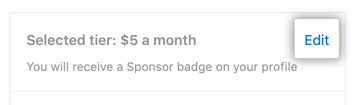
- No lado direito da página, próximo ao nível selecionado, clique em Edit (Editar).
- On the right side of the page, under "Select a tier", review the sponsorship tiers available. Then, to the right of the tier you want, click Select.

- Click Update sponsorship.
