Article version: GitHub.com
Viewing people with access to your repository
Organization owners can view people’s access to a repository within an organization. Owners of organizations using GitHub Enterprise Cloud or GitHub Enterprise Server can also export a CSV list of people who have access to a repository.
In this article
- Viewing people with access to your repository
- Exporting a list of people with access to your repository
Were you able to find what you were looking for?
Thank you! Your feedback has been submitted.
Administrators can use this information to help off-board people, gather data for compliance, and other general security checkups.

Viewing people with access to your repository
Note: You can also see a combined overview of teams and people with access to your repository. For more information, see "Managing teams and people with access to your repository."
- On GitHub, navigate to the main page of the repository.
- Under your repository name, click Insights.

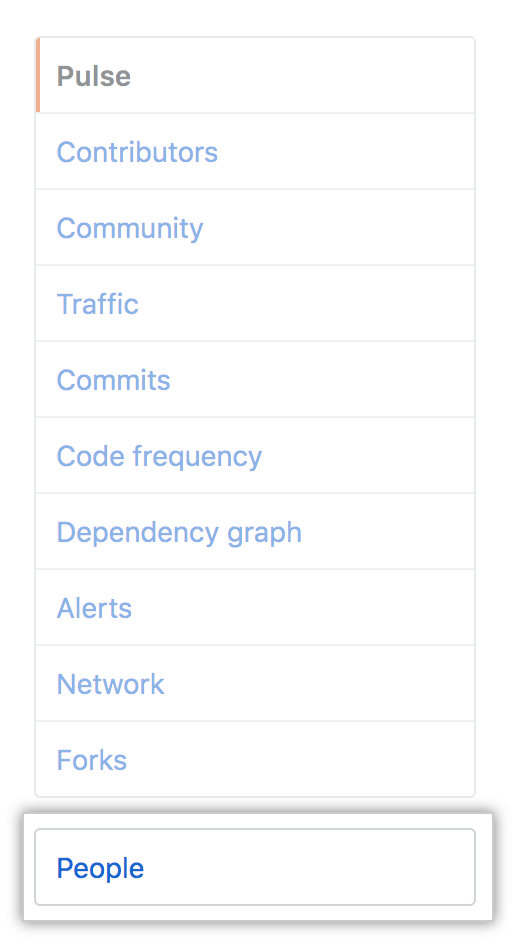
- In the left sidebar, click People.
Exporting a list of people with access to your repository
Owners of organizations on GitHub Enterprise Cloud or GitHub Enterprise Server can export a CSV list of people who have access to a repository.
- On GitHub, navigate to the main page of the repository.
- Under your repository name, click Insights.
- In the left sidebar, click People.
- Click Export CSV.
