Adding information to your receipts
You can add extra information to your GitHub receipts, such as tax or accounting information required by your company or country.
Your receipts include your GitHub subscription as well as any subscriptions for other paid features and products.
Warning: For security reasons, we strongly recommend against including any confidential or financial information (such as credit card numbers) on your receipts.
Adding information to your personal account's receipts
- In the upper-right corner of any page, click your profile photo, then click Settings.

- In your user settings sidebar, click Billing.

- Click Payment information.

- Under "Payment information", under "Extra information", click Add information.

- Type the extra information you'd like on your receipt, then click Save contact information.

Adding information to your organization's receipts
Note: Only organization members with the owner or billing manager role can access or change billing settings for your organization.
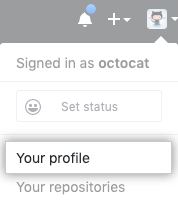
- In the top right corner of GitHub, click your profile photo, then click Your profile.
- On the left side of your profile page, under "Organizations", click the icon for your organization.

- Under your organization name, click Settings.

- In your organization's Settings sidebar, click Billing.

- Click Payment information.
- Under "Payment information", under "Extra information", click Add information.
- Type the extra information you'd like on your receipt, then click Save contact information.